A sign company that draws its proof live, in your browser. Custom signs in metal, LED, neon and wood. Large-format print. Vehicle and window graphics. Digital menu boards, screen content — and the shirts your crew wears. Spec it, price it, upload art and approve your proof, all on this page. No phone tag.
If you've been searching sign company near me — or custom signs near me — from anywhere in Phoenix or the West Valley, this page is built to answer every question a sign buyer actually has: sizes, materials, artwork specs, proofs, before you ever have to talk to a human. Every product below is drawn live in your browser by the same studio that would draw your sign.
Reel · the studio sting, rendered in After Effects — one file, every screen
Send the artwork once.
It becomes six different things.
This is the whole business in one drawing. A sign is cut and lit, a truck is wrapped, a window is perforated, an LED board lights up, a menu screen starts playing, and a t-shirt takes three screens of ink — six completely different manufacturing paths, one file, one brand. Watch it happen; the six finish together.
8 seconds · the longest surface here — sign, truck, window, LED, menu and shirt, all built from the same artboard
Most shops make you start over for every format: a file for the storefront, a different file for the truck, a third for the window, something else again for the screens, and a whole separate vendor for the shirts. That's a design problem, not a printing problem — and it's why brands end up looking like six different companies across one parking lot.
We take one set of artwork and build the whole family from it: the same logo, the same colours, the same proportions, re-laid for each substrate's real constraints. A wrap has to survive body seams and a squeegee. Window perf has to stay legible at fifty percent open area. An LED board wants the message split across two lines it can actually hold. A screen changes its mind hourly, and a shirt has to survive being folded, worn and washed. Same brand, six honest translations — and when you add the seventh thing next year, it starts from the same file.
Metal, LED, neon & wood —
cut, lit and finished in Phoenix.
A sign is a spec, not a mystery: a material, a size, a mounting and an artwork file. Below is the whole lineup we build, written the way you'd search for it — because the answer to "who makes this near me" should be a page, not a phone call.
Product · printed panel on standoff mounts — watch the shadow gap open as it lifts off the wall
Custom metal signs & laser-cut lettering
The most-requested build in the shop's lineup: custom metal signs on aluminium or dibond for storefronts, offices and gates, and custom laser cut metal signs where the letterforms themselves are the sign — no background panel, just cut metal standing off the wall on hidden spacers. Both mounts are drawn above honestly: the flat panel takes its four standoffs and floats off the wall; the sheet takes a cut head and the letters burn away out of the material. If you've typed custom metal signs near me or custom laser cut metal signs near me into a map search, this is that shop — you pick the alloy finish and the cut file comes from your logo, or we redraw it from a photo. Brushed faces age well outdoors; painted faces hold brand colours exactly.
Custom LED signs, neon & light-up lettering
Anything that has to be read after dark: custom LED signs for window and wall, custom neon signs in the flexible LED-neon that runs cool and survives Phoenix summers, and backlit custom light up signs — halo-lit channel letters that throw a glow onto the wall behind them, exactly as the middle surface above draws it, one tube at a time. LED-neon bends to your script, your logo, your one-liner; if you've been pricing custom neon signs near me for a bar wall or a bedroom, the same build works at both sizes.
Monument, pylon & storefront signs
The big permanent ones go up the way the third surface shows: base course first, then the cabinet, then the face, then the uplights. A monument sign is a masonry or clad base with an illuminated or push-through face; a pylon puts the same cabinet up on a pole where the traffic can see it. These are the signs that need drawings, permits and a landlord's blessing before anybody prints anything — send us the elevation and we'll tell you what the sign wants to be.
Custom wood signs — burned, carved & rustic
Wood reads warm where metal reads corporate. We build custom wood burned signs — the darkened, branded look that suits ranches, coffee shops and weddings — and custom rustic wood signs on stained planks for interiors that want texture. Both take paint fills and metal accents, and both are one-off friendly: a single housewarming sign is a normal order here, not a nuisance.
Street, parking & reflective signs
The unglamorous signs are specs too: custom reflective street signs on engineer-grade or high-intensity reflective sheeting for private roads, HOAs and ranches, plus parking, wayfinding and door signs. Reflective sheeting is a material choice like any other on this page — say where the sign lives and how fast traffic passes it, and the sheeting grade falls out of that.
| Build | Material | Lives | Artwork in | Turnaround |
|---|---|---|---|---|
| Flat panel sign | Aluminium · dibond · acrylic · foamcore | Indoor + outdoor | PDF / AI / EPS vector preferred | Quoted per job |
| Laser-cut letters | Aluminium · acrylic | Indoor + outdoor | vector only — we can redraw | Quoted per job |
| Channel letters | Aluminium returns · acrylic faces · LED | Outdoor · storefront | vector + a wall elevation | Quoted per job |
| LED-neon sign | LED-neon on clear or black backer | Indoor · covered outdoor | A word, a script, or your logo | Quoted per job |
| Monument / pylon | Clad base · illuminated cabinet | Outdoor · permitted | vector + site photo | Quoted per job |
| Wood — burned / rustic | Stained plank · plywood panel | Indoor · covered outdoor | PDF / PNG — high contrast art | Quoted per job |
| Reflective / street | Aluminium + reflective sheeting | Outdoor | Text + arrow direction is enough | Quoted per job |
Pick a board.
The edge is how you tell them apart.
Every flat sign starts as a sheet of something, and in the hand you identify it by its edge — foamcore's fat white core, dibond's two bright skins around a dark centre, acrylic piping light along the cut. So that's what the surface below draws: six boards fanning out of the stack, each with its real edge structure — and the sixth board is cotton, because a shirt is a substrate here too. It just frays instead of snapping.
Product · acrylic, aluminium, dibond, foamcore, vinyl, cotton — edges to relative scale
Large format printing,
explained like a spec sheet.
Large format printing is any print too wide for an office printer — banners, posters, wall murals, window vinyl, site signage. It's a different machine, a different resolution logic and a different pricing unit: the square foot. Everything about it is knowable in advance, so here it is in advance.
Product · 13oz vinyl banner — unrolled, printed, hemmed, grommeted
Large format digital printing covers the roll-fed work: banner material, photo paper, backlit film and adhesive vinyl printed edge to edge and finished with hems, grommets or lamination — the surface above shows that finishing sequence in order, because the finishing is what makes a banner hang straight for three seasons instead of one. Large format vinyl printing is the sub-family most businesses actually need: printable adhesive vinyl for windows, walls, floors and vehicles, laminated when it has to survive sun and scrubbing. And large format poster printing is the fast lane — photo-quality posters at the trade sizes, mounted to a rigid board or left rolled.
Two questions decide every large-format job, and both have real answers further down this page: what will it cost — that's the square-footage calculator — and will my file hold up at this size — that's the image-prep guide, including the resolution-by-viewing-distance table. If you read nothing else before uploading, read that table.
A wrap that fits the body.
A window you can still see out of.
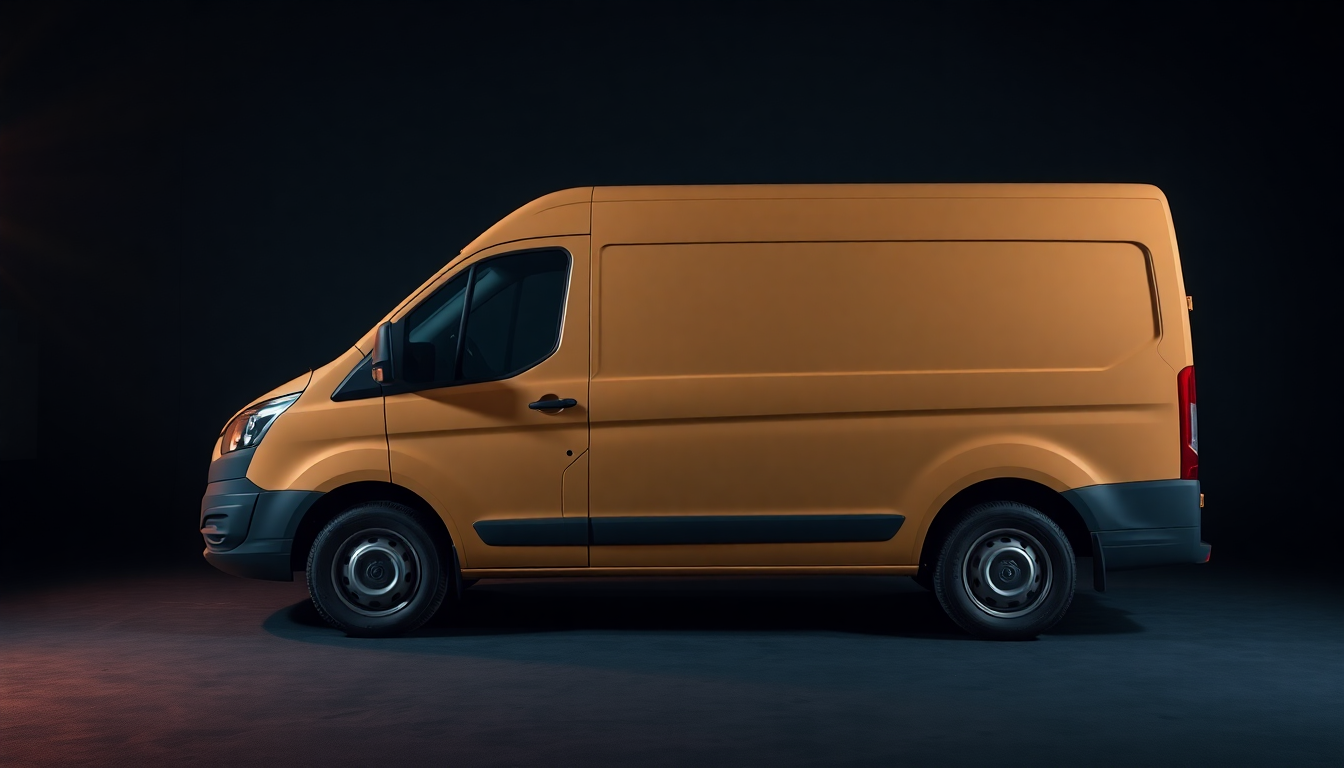
The two most misunderstood products we make, so both get drawn honestly: printed vinyl peeling off its backing liner and conforming to a truck's body — seams, crown and all — and one-way vision perf punched into glass and then flipped so you're looking out through it.
Product · box-truck side wrap — peeled off the liner, conformed to the body, squeegeed, trimmed
Product · perforated rear-window graphic — punched into place, then the view from the driver's seat
How one-way vision perf actually works
Perforated window film is vinyl with a regular grid of holes — typically half printed surface, half open air. From outside in daylight, your eye reads the bright printed dots and assembles the image: that's why custom rear window graphics look solid from the sidewalk. From inside, you're looking from a dark side toward a bright side, so your eye reads the light coming through the holes and mostly ignores the dark film: the street stays visible. The surface above is drawn at true 50/50 logic — every dot you see from outside is a hole you see through from inside.
The honest caveat, because a page that hides it is selling you a problem: the trick depends on the bright side being outside. At night with a lit interior, or in hard rain with the rear glass wet, see-through drops noticeably. Rear-view mirrors and backup cameras are unaffected, and side windows forward of the driver are off-limits for road use anyway. If your vehicle works nights, tell us and we'll spec a higher open-area perf.
What we print it for
The rear glass of pickups is the classic canvas — window graphics for trucks and custom rear window graphics for trucks are most of this lane — but the same material does car window graphics on hatches and SUV tailgates, and storefront glass that wants daytime privacy plus advertising. And if what you actually searched was car window stickers, you probably mean the other material: flat-cut vinyl window graphics — lettering, logos and decals without perforation — which handle hours panels, door lettering and window promos. Two materials, two jobs; now you know which one you meant.
Design your own rear-window graphic in the browser. Pick the vehicle, drop your art or photo in, and preview the true perforation pattern from outside and from the driver's seat before you order — the same two-sided view the surface above demonstrates. The studio plugs into this exact spot; until it's live here, upload your art through the artwork uploader below and we'll send the two-sided preview back as your proof.
The work, photographed as it leaves the bench.
Everything above was drawn live, by this page, from the specs beside it. Below is the bench itself — the vinyl, the aluminium, the grommets and the standoffs a job is actually made of.
Standing in: these are material studies, not finished jobs, and they are generated placeholders — not photographs of Xignage work. They hold the gallery until the shop's own photography is shot. When it is, these come down and every frame below is a real job with a real spec you can ask us to pull.
Same board.
Four industries, four jobs to do.
The hardware is a commodity — the message is the product. Below is one emitter running three different messages, which is exactly what a screen network is: the same panel, told something different by somebody who thought about it.
What is digital signage?
The plain answer: digital signage is any screen used to show information to the public — menus, promos, wayfinding, welcome boards — instead of a printed panel. A system is just a display, something that plays a file, and the content itself. The hardware is a commodity and the players are nearly free; the content is where every screen succeeds or embarrasses its owner. That's the part a design shop is for, and it's the only part of the phrase this studio sells.
By industry, because the failure modes differ
Restaurant digital signage earns its keep at the register line: menu boards that daypart from breakfast to lunch on schedule, specials that update before the rush instead of after it — that's Job 04, and the drive-thru board above it. Retail digital signage is a window problem: motion pulls eyes off a sidewalk in a way a poster can't, and the same screen resells the aisle once they're inside. Hotel digital signage is calm by contract — welcome walls, event boards and elevator screens that match the lobby instead of shouting at it. And school digital signage runs on cadence: announcements, schedules, game-day screens, built so the front office can swap the message without touching the design. Four industries, one rule: the screen is furniture until the content is good.
The same artwork file —
worn out the door.
A shirt is the one substrate that leaves the parking lot on its own. Crew shirts, event tees, uniform polos, caps — the sixth stage of the drawing at the top of this page, and the only one that goes home with somebody. Below is how a shirt actually gets printed, drawn honestly: one screen per ink, one pass per screen.
Product · three screens print in turn — then the ink joins the weave, because fabric isn't paper
What the apparel counter is for
The jobs a local shop actually gets: crew shirts for the business whose truck we just wrapped, event tees for the tournament whose banner is on the fence, uniforms that match the sign over the door. That adjacency is the entire pitch — the logo on your window, your vehicle and your chest comes from one artwork file, prepped once, translated to each material's real constraints. Nobody re-draws your logo from a JPEG of a JPEG, because we already have the vector.
Screens or transfer — the honest difference
The two drawings above are the two honest paths ink takes to fabric. Screens — one per colour, printed in passes, the way the first surface shows — favour bigger runs and big flat colour. Press-ready transfers — printed, cut and peeled like the decal beside it, then heat-pressed — favour small counts, photographic art and names on backs. Which path your job wants depends on the run, the art and the garment; that call is part of the proof, not a menu you have to decode. Send the file, get the recommendation with the quote.
What this lane doesn't pretend: we're not an online t-shirt megastore, and this page won't cosplay one. It's the same counter as the signs, the same artwork pipeline, the same proof-before-anything-prints rule — for the businesses and crews that are already in the building. If you need four hundred fulfilled to forty addresses, a national printer is genuinely the right tool. If you need your actual brand on actual shirts, handed over the same counter as your sign: that's this.
Templates, a calculator
and the prep guide.
The three things every print buyer actually needs before spending a dollar — free, because they cost us nothing and save both of us a revision cycle.
Free templates
Start from a file that's already the right size. Every digital menu board template here is free — 1920 × 1080 with safe margins and text zones marked — alongside large format templates for posters, yard signs and banners with bleed and grommet zones drawn in. Download, design, upload it back below.
Downloads pending · gate: templatesPrice by the square foot
Large-format work prices on area: width × height × quantity, times a material rate. The large format printing cost calculator below does the geometry instantly — and it will show real rates the day the rate card is verified, not invented ones before.
Open the calculator ↓Prep your images
How to prepare images for large format printing — the resolution-by-distance table, bleed, colour mode and the formats we take, in one short guide. Two minutes here prevents the classic heartbreak: art that looked sharp on a phone and prints soft at four feet wide.
Read the guide ↓Every template · correct size, bleed marked, hem and grommet zones drawn in
The square-footage calculator.
Area is the lever on every large-format job. Move the sliders and watch the number — the geometry is real, the dollars are yours until our rate card is.
Dimensioned like everything else here · width × height ÷ 144 = square feet
How to prepare images for large format printing.
Print is dots · continuous tone is a lie print tells with a halftone screen
The counterintuitive rule first: large format printing resolution goes down as the print gets bigger, because viewing distance goes up. Nobody reads a banner with their nose on it. The table below is the industry's working standard — match your file's pixels-per-inch at final printed size to how far away the audience stands, and you'll never overbuild or underbuild a file again.
| Seen from | Typical job | Target resolution | Sanity check |
|---|---|---|---|
| Arm's length | Menu boards read up close, small posters | 150–300 ppi | A 24×36 poster at 150 ppi is a 3600×5400 px file |
| 3–6 feet | Posters, window vinyl, trade-show walls | 100–150 ppi | Phone photos survive here at moderate sizes |
| 10–20 feet | Banners, site signs, murals | 50–100 ppi | A 2′×4′ banner needs only ~4800×2400 px |
| Across a lot | Building signs, billboards | 15–50 ppi | Billboards are printed at resolutions that would look broken in your hand |
Vector beats pixels wherever it can. Logos and text should arrive as PDF, AI or EPS — vector scales to any size with zero loss, which is why the spec sheet up in Job 01 asks for it, and why the laser-cut surface up there can cut a file at any size at all. Photos arrive as TIFF or maximum-quality JPEG/PNG at the table's resolution. Bleed: extend background art 0.125″ past the trim line and keep text an inch off the edge on rigid signs. Colour: build in CMYK if your software offers it; if it doesn't, send RGB and we'll convert on a calibrated profile rather than let the printer guess. And if any of this paragraph read as noise — upload what you have. File triage is part of the job, and the proof will show you exactly what your art can hold.
Send the art. Approve the proof.
That's the whole phone call.
The shop runs on a rule: nothing prints until you've approved a proof, and nothing about ordering should require a conversation. Here's the pipeline your file enters the moment you send it.
Spec
Build, size, material — picked from this page's spec sheets, or written in plain words. "Like the banner up there but 8 feet" works.
Upload
PDF, AI, EPS, TIFF, PNG or JPEG. Started from a template? Even better — the zones are already right.
Preflight
We check resolution against final size, fix bleed, flag anything that won't survive. You hear about problems before they're printed.
Proof
A visual proof comes back to you — for perf jobs, from both sides of the glass. Nothing runs until you say run.
Hand-off
Pickup or delivery is arranged when the proof is approved — we serve Phoenix, AZ and the West Valley. Questions at any step: (480) 975-1891 or xignage@gmail.com.
Nothing prints until the proof comes back approved — including the sample above
Tell us what you want to make. Product, finished size, quantity, where it lives. We reply from xignage@gmail.com with the material we recommend, a written quote and where to send artwork — nothing prints until you approve a proof. In a hurry? Call or text (480) 975-1891.
Phoenix, AZ.
Call, email, or send the form.
Xignage serves Phoenix and the West Valley. Quotes, proofs and artwork all move by phone and email, so you never have to find a counter — spec it here, send it, approve the proof, and we arrange the hand-off.
Product · base course, cabinet, face, uplights — the storefront build
Everything on this page is the quote form's vocabulary. Name the product, the finished size and where it lives; we answer with the material we recommend and a written quote. Artwork goes to the inbox above, the proof comes back the same way, and nothing prints until you approve it.
The questions that come up first.
Digital signage is any screen used to show information to the public — menus, promotions, wayfinding, announcements — in place of a printed sign. A working setup is just three parts: a display, something that plays a file (a USB port or a small media player is enough), and the content itself. The content is the part that decides whether the screen earns money or just glows; that design work is what Xignage sells. We don't sell signage software or players.
Split it into three parts. The screen: any modern TV can start the job, while commercial displays cost more and are built for all-day brightness. The player: anything from a free USB loop to a small dedicated media player. The content: a one-time design cost for a file you own outright — no subscription. Design is quoted per job, in writing, before anything is produced.
Yes, in daylight — that's the whole engineering of perforated one-way vision film, and the surface in the vehicle section shows it from both sides. Roughly half the film is printed surface and half is open holes; from the bright outside your eye assembles the printed dots into an image, and from the darker inside your eye reads the light coming through the holes and largely ignores the film. Honest caveat: at night with a lit interior, or with heavy rain on the glass, see-through drops noticeably. If your vehicle works nights, ask for a higher open-area perf.
Yes — shirts and apparel are a product line at the same counter, fed by the same artwork pipeline as everything else on this page. The same file that becomes your sign or your truck becomes your crew's shirts: prepared as one screen per ink colour for runs, or as a press-ready printed transfer for small counts and photographic art. Which path fits your job is part of the proof, not a decision you have to make blind. Blank brands, sizes stocked, minimums and pricing publish here once they're confirmed — the same no-invented-facts rule as the rest of the page.
Match resolution to viewing distance, measured at final printed size: 150–300 ppi for close-up pieces like menu posters, 100–150 ppi for posters and window vinyl seen from a few feet, 50–100 ppi for banners and site signs, and lower still for building-scale work. Logos and text should be vector (PDF, AI, EPS) whenever possible — vector scales infinitely. When in doubt, upload what you have; preflight will tell you exactly what it can hold.
That's the intended way. Spec the job from this page's tables, price the area on the calculator, upload your artwork or start from a free template, and approve the digital proof when it comes back. Nothing prints until you approve the proof. Pickup or delivery is arranged when the proof is approved — there is no counter to visit.
Vector first: PDF, AI or EPS for anything with logos or text. For photos and full-art pieces: TIFF, PNG or maximum-quality JPEG at the resolution the prep guide's table calls for. Files from our own templates are ideal because bleed and safe zones are already correct. If your art only exists as a screenshot or an old business card, send it anyway — redrawing art is normal shop work and we'll quote it as part of the proof.
No — and that's deliberate. Signage software, CMS platforms and screen-network management are a software industry with its own vendors. Xignage designs the content that plays on screens: menu boards, promo loops, title cards and industry-specific motion for restaurants, retail, hotels and schools. It runs on whatever hardware and player you already have or choose to buy.
The proof is the product.
This page is the proof.
Thirty-one surfaces, every one of them something we actually make, drawn live in your browser by the same studio that would draw your sign, your window, your screens, your shirts. Spec it, price it, upload it — the counter's inside the liquidation store when you're ready to pick it up.
Custom signs
Metal, laser-cut, channel letters, monument, wood, reflective — the whole lineup with specs.
Window perf
Truck rear-window graphics you can see out of — shown honestly from both sides.
Menu boards
Screen content you own outright. No subscription, no software, no excuses.
Free templates
Menu boards, posters, yard signs and banners — sized, bled and zoned correctly.